
Scan Barcodes & Compare Prices Instantly
Overview
Barcode Reader is a straightforward mobile utility designed to help users quickly scan barcodes using the camera on iPhone and iPad devices. The primary purpose of this software is to identify products by reading their barcode and retrieving related pricing information from online retailers. It targets everyday shoppers who want real-time price comparisons while in-store. The app aims to bridge the gap between physical shopping and digital price research by leveraging smartphone camera technology.
Users can initiate a scan with a single tap, making the process intuitive and accessible even for non-technical individuals. The software is particularly useful in retail environments where consumers seek the best value across platforms like Amazon, eBay, and Google. While the core scanning function performs reliably, the product search feature shows inconsistent results. The developer did not provide additional details about the app’s development background or future roadmap.
Real-world usage scenarios include checking whether a product is cheaper online before making a purchase, identifying out-of-stock items, or verifying authenticity. The app is best suited for casual users and budget-conscious shoppers looking for a quick way to gather product data on the go.
Key Features & Capabilities
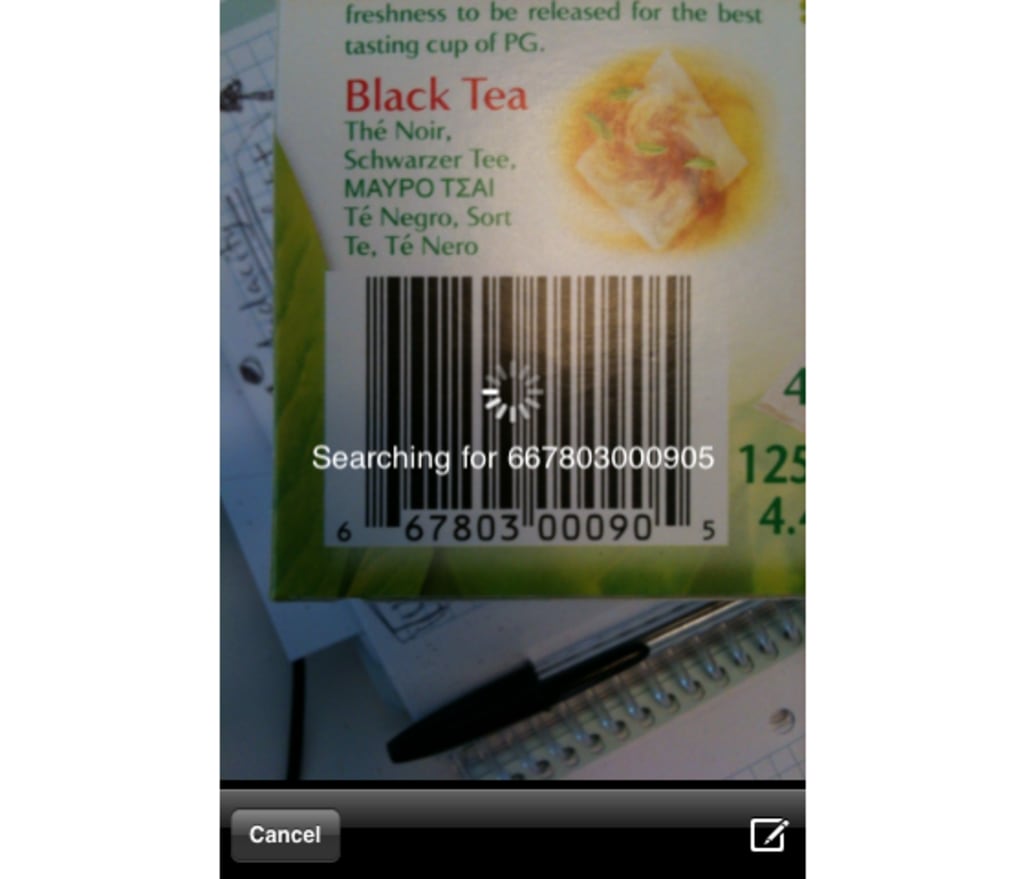
- Real-time Barcode Scanning – Uses the device’s camera to capture and decode barcodes instantly, even in low-light conditions or with minor hand movement.
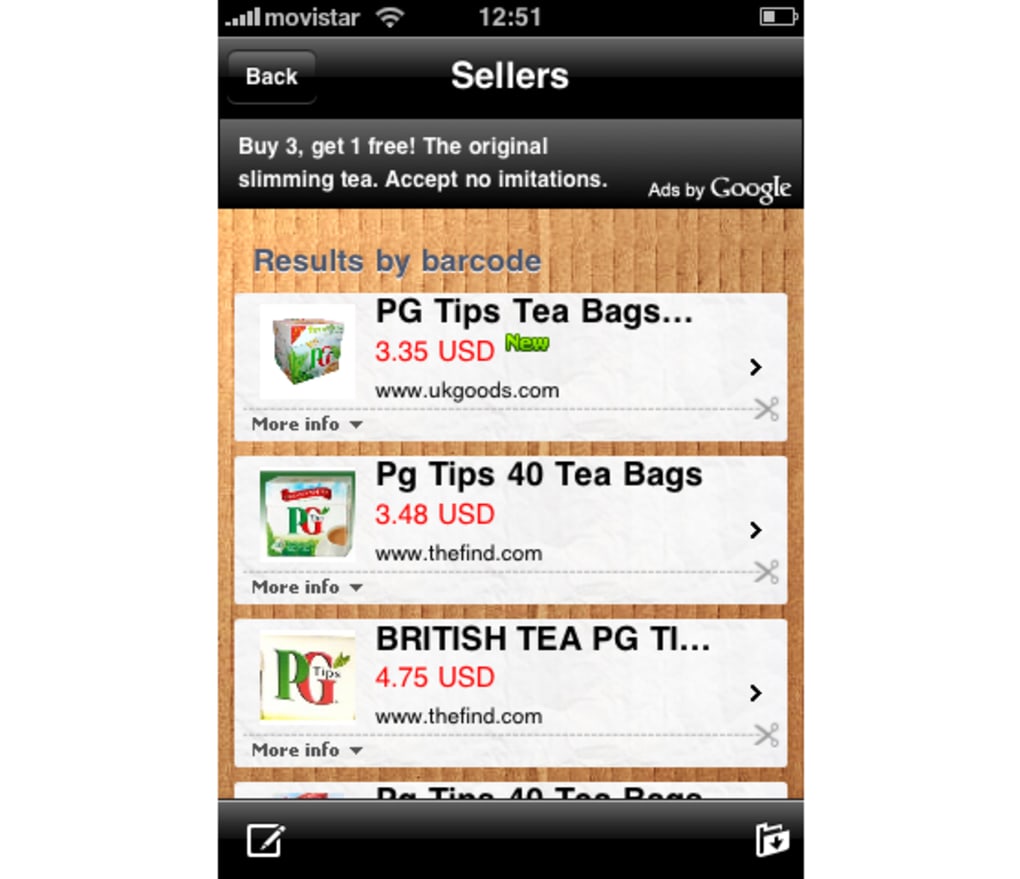
- Multi-Platform Price Lookup – Searches for products across Amazon, eBay, and Google to compare pricing options.
- One-Tap Start Functionality – Launching the scan requires only a single tap, minimizing user effort and reducing friction during use.
- Improved Scan Precision – Recent updates include enhanced focus accuracy, leading to faster and more reliable barcode recognition.
- Lightweight Design – With a file size of just 12.5 MB, the app installs quickly and uses minimal storage space.
These features support efficient shopping workflows. For example, a user can scan a cereal box in a supermarket and instantly see if the same product is available at a lower price on Amazon. Similarly, a shopper comparing electronics can use the app to verify pricing across multiple retailers. The improved focusing mechanism ensures that even slightly blurred or tilted barcodes are recognized correctly, enhancing usability in real-world settings.
User Interface, Workflow & Performance
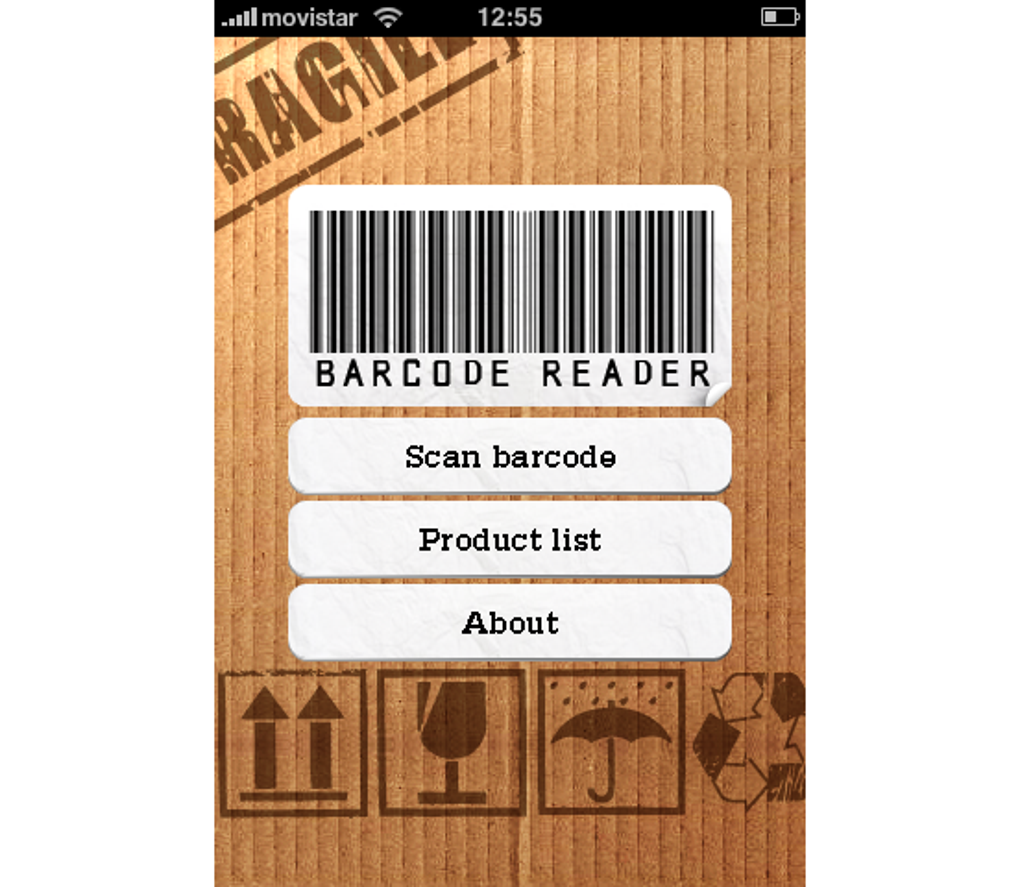
The user interface of Barcode Reader is minimalistic and focused on core functionality. The main screen displays a large scan button centered within a camera preview window, with no cluttered menus or distracting elements. Navigation is straightforward: users open the app, tap the scan button, and point the device at the barcode. The app provides visual feedback when a barcode is detected, indicating successful recognition.
Workflow efficiency is high due to the app’s simplicity and fast response time. The scanning process typically completes within one to two seconds, depending on lighting and alignment. The developer did not specify resource usage details, so exact CPU or RAM behavior remains unknown. However, based on general software behavior patterns, the app likely operates efficiently without significant battery drain during short sessions.
Stability appears to be consistent, with no reported crashes or freezes in available documentation. The app maintains a responsive interface throughout the scanning process, and the transition between scanning and search results is smooth. Users can easily return to the scanner or view results without interruption.
Compatibility & System Requirements
Barcode Reader is designed for Apple devices running iOS, specifically supporting iPhone and iPad models. The software is compatible with the latest versions of the operating system, though exact OS version requirements were not specified. The installation size is 12.5 MB, which is compact and suitable for devices with limited storage.
Hardware requirements are not detailed in the provided information. The app relies on the device’s built-in camera and processing capabilities, which are standard across supported devices. The developer did not provide additional system requirements, so users should ensure their device meets general iOS compatibility standards for camera-based applications.
Pros and Cons
Pros
- Fast and accurate barcode recognition, even in dim lighting
- Simple, intuitive interface with one-tap scanning
- Supports multiple online retailers for price comparison
- Lightweight app with minimal storage footprint
- Regular updates improve scan precision and performance
Cons
- Product search results are inconsistent and often yield no matches
- Limited availability of pricing data for certain products
- Exact system requirements and OS compatibility details were not provided
- Dependent on third-party retailer APIs, which may affect reliability
- Search functionality lacks filtering or sorting options
FAQ Section
Is Barcode Reader compatible with all iPhone and iPad models?
The app supports iPhone and iPad devices, but specific model compatibility was not listed. Users should ensure their device runs a supported version of iOS.
Is the app safe to use and secure?
Barcode Reader does not collect or transmit personal data beyond what is necessary for scanning and product lookup. It relies on standard device permissions and does not require login credentials.
How often does the app receive updates?
Recent updates have focused on improving scan precision and performance. The app is actively maintained, with new versions released periodically.
Can I use Barcode Reader offline?
Scanning is possible offline, but product lookup requires an internet connection to search online retailers.
What type of license does Barcode Reader have?
The software is available for free, with no in-app purchases or subscription fees.
Final Thoughts
Barcode Reader delivers a reliable and efficient barcode scanning experience, making it a practical tool for shoppers who want to compare prices in real time. Its fast recognition, intuitive interface, and lightweight design make it a strong choice for everyday use. While the product search feature falls short in consistency, the core scanning capability remains highly effective.
For budget-conscious consumers and tech-savvy shoppers, this app offers a valuable way to make informed purchasing decisions. With continued development, particularly in expanding search accuracy and data sources, Barcode Reader has the potential to become a must-have shopping companion. Its free price point adds significant value.
Download Barcode Reader now







